
IPTV Global Channels Playlist: Curious how one simple file can unlock a world of live TV, movies, and music on your devices? You’ll learn practical steps to load a tested community playlist and start watching without a tech headache.
Curious how one simple file can unlock a world of live TV, movies, and music on your devices? You’ll learn practical steps to load a tested community playlist and start watching without a tech headache.
In recent 2025 tests, community lists like IPTV-ORG and Apsattv delivered hundreds of free live options across news, sports, lifestyle, movies, and kids. These lists come as M3U/M3U8 links you add to players such as IPTV Smarters Pro, TiviMate, VLC, or Kodi.
You should expect some broken links and geo-restrictions, but many channels work right away. We’ll explain source reliability, EPG support differences, and why a VPN can help with privacy and access.
Read on for a clear, friendly walkthrough so you can organize favorites, improve quality, and spend more time enjoying shows and less time hunting for them.
Key Takeaways
- You’ll get a step-by-step guide to load a tested playlist and start streaming fast.
- Learn which apps and devices make setup easiest for your viewing habits.
- Expect a mix of working links, occasional breaks, and possible geo-blocks.
- Use trusted sources and simple checks (like VirusTotal) before loading lists.
- Quick tips on VPNs, EPG support, and organizing favorites for better access.
Before You Start: What You’ll Learn in This How-To Guide
This quick guide maps the steps to turn a tested M3U/M3U8 file into live viewing on your TV, phone, or laptop. You’ll see how a playlist file lists titles, streaming links, group tags, and optional EPG entries.
Hands-on steps: you’ll learn the simplest way to add a playlist URL to an iptv player on your device and start watching in minutes. You’ll also learn which devices and players work best, from smart TVs and streaming boxes to phones and computers.
We’ll cover organization tips too. Categories and favorites let you group sport, news, movies, or entertainment so you find what you want fast. You’ll also get quick checks to spot low quality links and basic tweaks to improve playback.
- How M3U/M3U8 files work and what they contain.
- Which players (IPTV Smarters, TiviMate, VLC, Kodi) fit your setup.
- Where safe lists come from and how to handle dead links.
- Simple VPN advice for privacy and geo-block issues.
Understanding IPTV Playlists and Formats
An M3U file does not hold video — it simply lists URLs so your player can fetch each stream. It’s a reference, not storage.
How the file works: a typical M3U or M3U8 line pairs an EXTINF title with a direct URL. Group-title fields create a category inside apps. tvg-id and tvg-name are used for epg mapping so schedules appear in guides.
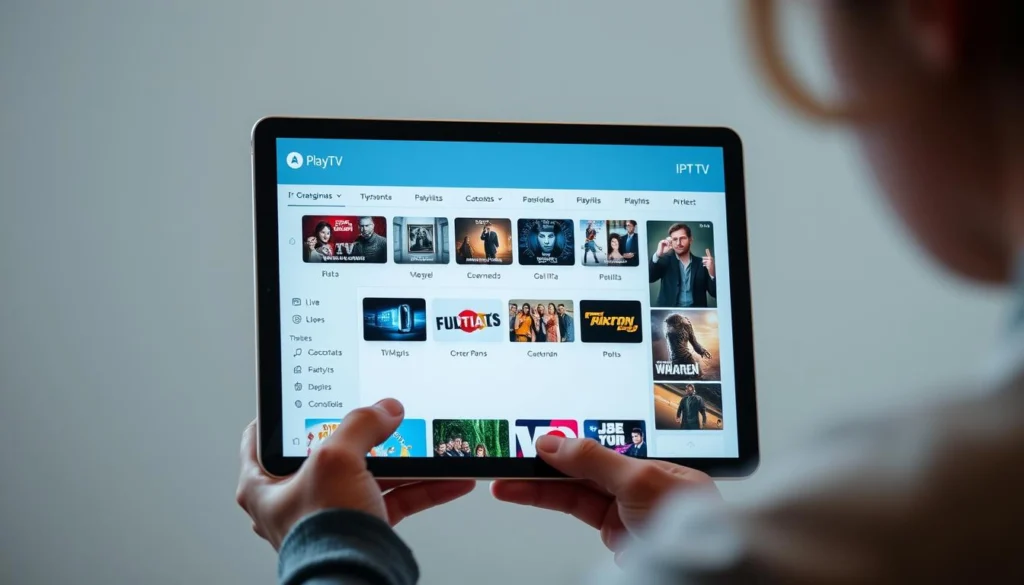
Community lists are regularly updated because links go stale. The file points your iptv player to remote media, so broken links mean the source changed, not the file format.
Compatible players
- IPTV Smarters and TiviMate — best for smart TVs and boxes.
- VLC — quick on desktops and phones.
- Kodi — flexible for custom guide and add-ons.
Quick tips: prefer UTF-8 M3U8 for international names and check whether a filtered iptv playlist (by country or language) better fits your viewing needs.
What You Need: Devices, IPTV Players, and a VPN
Choosing a compatible device and a reliable player makes setup fast and painless. First, match your hardware to an app that fits how you watch. That decision affects features like EPG support, favorites, and catch-up.
Choose your iptv player for smart TVs, phones, and computers
Popular apps include IPTV Smarters, TiviMate, VLC, and Kodi. Pick a player that supports EPG and category sorting if you want program guides and tidy menus.
Supported devices: Fire TV, Android TV, smart TVs, iOS, Windows, macOS
Fire TV and Android TV/Google TV boxes work well with TiviMate or Smarters. Many smart tvs from LG, Samsung, and Vizio run compatible apps or accept mobile casting.
Phones, tablets, Windows PCs, and Macs can use VLC or desktop players so your device choice won’t lock you in.
Why a VPN matters in the United States: privacy, geo-blocks, and smoother streams
A reliable VPN protects privacy from ISPs and third parties. It also helps avoid throttling and can bypass regional blocks that stop some free services from playing on certain devices.
- Match device to app (Smarters/TiviMate for boxes; VLC for laptops).
- Keep firmware updated and close background apps for better performance.
- Enable hardware decoding and a proper buffer in the player to reduce stalls.
Your iptv global channels playlist: trusted sources and examples
Good starting lists give you EPG data and clear categories, which speeds setup. Begin with one tested index and a few brand bundles so you can see how categories and guide data behave in your app.
IPTV-ORG on GitHub provides a main index and many filtered m3u files by country, category, and language. Its lists include EPG mapping and are updated often. Try the main index (https://iptv-org.github.io/iptv/index.m3u) in iptv smarters or your player as an example to compare guide support and grouping.

Apsattv public lists offer brand-style bundles like Xumo, The Roku Channel, LG Channels, Vizio, Local Now, Xiaomi, and Fire TV. Examples include https://www.apsattv.com/xumo.m3u and https://www.apsattv.com/rok.m3u. Many entries stream quickly, but EPG is usually absent.
- Expect mixed quality: news, sports, entertainment, music, movies, and kids feeds vary by source.
- Broken links and geo-restrictions are common; a VPN can help with access.
- Scan new lists for safety and favor reputable websites, GitHub repos, and community forums.
Note: VirusTotal checks reported clean results for several Apsattv and IPTV-ORG files during tests, but always do your own checks and respect copyright.
Step-by-Step: How to Load a Playlist on Your Device
Getting a tested URL into your player is faster than you think. Start by choosing the right app for your device and have a verified link handy, like the IPTV-ORG index or an Apsattv sample.
Android TV / Google TV and Fire TV — open TiviMate or iptv smarters, paste the M3U/M3U8 address, add an optional EPG URL, then refresh groups to browse channels.
Smart TVs (LG, Samsung, Vizio) — install a compatible player app when available, enter the playlist address, save, and allow the app to fetch categories and logos.
Mobile devices (iOS/Android) — use iptv smarters or VLC. Tap Add Playlist or Open Network Stream, paste the link, and confirm category grouping on the app.
Windows and macOS — open VLC or Kodi, choose Media > Open Network Stream, paste the URL, then view the Playlist to jump between groups and channels.
- Test several entries to confirm working streams.
- Map an EPG URL if your player supports it to see showtimes.
- Organize favorites and rename unclear titles for quick access.
- Try a second source if a service URL fails; swaps are normal in community lists.
- Use the player’s refresh option to pull recent updates to your iptv playlist.
Tip: if you use the IPTV-ORG main index, try country or category filters to keep your menus tidy.
Optimize Your Experience: EPG, Categories, and Quality
Smart sorting and a mapped program guide let you find live shows and movies in seconds. Start by adding an EPG file so schedules populate in your app and you can jump to programs by time.
Group your feeds into clear categories: news, sports, movies, music, and kids. Use language and region filters so local favorites sit together and you avoid endless scrolling.
Improve playback quality with simple fixes. Prefer Ethernet or a strong 5 GHz Wi‑Fi band. Enable hardware decoding and test buffer size to reduce stalls.
- Add an EPG and map channels to guide entries for faster navigation.
- Curate themed lists for movies, music, and kids so each family member finds content quickly.
- Replace dead links with actively maintained iptv playlists to keep downtime low.
- Back up your favorite URLs and export player settings to restore quickly after a reset.
“Regularly refresh and try alternate sources for a group that shows many failures.”
Tip: refresh your playlist often. Community lists evolve, and staying updated preserves the best-quality channels with fewer interruptions.
Troubleshooting and Best Practices
Small fixes often restore smooth viewing. Start with simple checks before swapping services or reinstalling apps.
Fix common issues: buffering, dead links, and missing EPG data
If you hit buffering, test your internet speed and try wired Ethernet or a closer Wi‑Fi connection. A reliable vpn can also reduce ISP throttling and help with regional access.
Dead links are normal in community lists. Refresh your list, then swap in an alternative from trusted sources or forums where maintainers post updates.
Missing EPG? Verify your guide URL and channel mappings. If a particular file lacks guide data, pair it with an IPTV-ORG style feed that includes EPG entries.
Use reputable sources, scan links, and respect content rights
Keep a shortlist of trusted websites, GitHub repos, and community forums so you can replace problem entries quickly.
- Scan unfamiliar URLs and check community feedback; VirusTotal scans showed no red flags on several tested lists.
- Respect content rights: in the United States, prefer public-domain or properly licensed streams and avoid questionable sources for premium content.
- If only certain channels fail, try a different regional source or a category variant less affected by outages.
- When an app misbehaves, clear cache, reboot your device, or reinstall. Export settings first so you don’t lose favorites.
Quick tip: document working links and keep backups of your best iptv playlists so fixes are fast when problems appear.
Conclusion
Use these final tips to keep your curated lists fresh and your viewing consistent across devices.
Test a few sample streams, save your settings, and export backups so you can restore favorites fast. Refresh your iptv playlists regularly and trim dead entries to reduce scrolling and find shows faster.
Start with trusted examples like IPTV-ORG or Apsattv as a foundation. Expect some broken links and occasional geo-blocking; a VPN can improve access and stability for problem feeds.
Respect copyright and prefer public or licensed sources. Check forums for updates and rotate sources when a channel fails. With a short checklist and an app like IPTV Smarters, you’ll keep a steady range of reliable streams and content ready to watch.