HDMI IPTV Encoder is what allows today’s effortless, anywhere-anytime streaming—turning a simple HDMI signal into a smooth, high-quality IPTV stream. Thanks to this technology, enjoying your favorite videos on any device has never been easier. IPTV and HDMI encoders are changing the way we watch content, making everything more flexible, modern, and enjoyable.
You can now enjoy high-quality streaming with the help of an encoder that converts traditional video signals into digital streams. This guide will walk you through the world of IPTV streaming, explaining how to upgrade your system for a superior viewing experience. Whether for residential or commercial use, modern streaming solutions are set to revolutionize the way you enjoy your favorite content.
Key Takeaways
- Understand the basics of IPTV streaming and its benefits.
- Learn how HDMI encoders convert video signals for digital streaming.
- Discover the advantages of upgrading to modern streaming systems.
- Get an overview of what to expect from this comprehensive guide.
- Explore the applications of IPTV streaming in residential and commercial settings.
Understanding HDMI IPTV Streaming Technology
To fully grasp the potential of IPTV streaming, it’s essential to understand the underlying technology. IPTV, or Internet Protocol Television, is a system that delivers television content over IP networks. This technology allows for the transmission of live TV, on-demand content, and other video services.
What is IPTV and How Does It Work?
IPTV is a significant departure from traditional broadcasting methods, which rely on satellite or cable transmission. Instead, IPTV uses the internet protocol to stream video content directly to your device. The process involves capturing HDMI signals from various sources, encoding them into IP packets, and then transmitting these packets over a network. This allows for a more flexible and scalable distribution system.
The key components of an IPTV system include:
- HDMI encoders that capture and encode video signals
- A robust network infrastructure to support IP transmission
- Receiving devices capable of decoding and playing back the IPTV content
The Evolution of Streaming Technology
Streaming technology has undergone significant evolution, from early analog systems to modern digital IPTV solutions. Initially, streaming was limited by technology and bandwidth constraints. However, advancements in compression algorithms, network infrastructure, and encoding technology have enabled high-quality, multi-channel distribution.
The development of HDMI encoders has played a crucial role in this evolution, serving as a bridge between conventional video sources and IP-based distribution systems. As a result, IPTV has become increasingly accessible and user-friendly, transforming the way we consume video content.
Today, IPTV systems offer high-definition quality, flexibility, and scalability, making them an attractive solution for various applications, from residential entertainment to commercial settings.
Benefits of Using HDMI IPTV ENCODER Systems
The use of HDMI IPTV encoder systems has revolutionized the way we experience video streaming, providing unparalleled quality and flexibility. As we delve into the benefits, it becomes clear why these systems are becoming the go-to solution for various applications.
High-Definition Quality Advantages
One of the primary benefits of HDMI IPTV encoder systems is their ability to deliver high-definition video quality. Unlike older analog systems, HDMI IPTV encoders ensure that your video content is streamed in superior quality, making it ideal for applications where video clarity is paramount. The high-definition quality is maintained through the digital nature of IPTV, reducing the likelihood of signal degradation.
Flexibility and Scalability
HDMI IPTV encoder systems offer remarkable flexibility and scalability. Businesses can easily scale their video distribution systems by adding more encoders to the network, making it a highly adaptable solution for growing demands. Moreover, the ability to distribute content to any connected device on the network adds to its flexibility, ensuring that your content reaches its intended audience without hassle.
- Scalability through the addition of more encoders
- Flexibility in content distribution across various devices
Cost-Effectiveness for Businesses
Using HDMI IPTV encoder systems can be highly cost-effective for businesses. By leveraging IP networks for video distribution, companies can achieve significant cost savings compared to using dedicated cabling. This approach not only reduces infrastructure costs but also simplifies content management and distribution, making it an attractive solution for businesses looking to optimize their video streaming capabilities.
Furthermore, the digital nature of IPTV allows for easier content management, enabling businesses to serve their customers better with high-quality video content across multiple locations.
Key Features to Look for in an HDMI IPTV ENCODER
The right HDMI IPTV encoder can make all the difference in your streaming experience, but what features should you look for? When it comes to selecting the best HDMI IPTV encoder, several factors come into play to ensure you get the quality and performance you need.
Resolution and Video Quality Capabilities
A high-quality HDMI IPTV encoder should support high resolutions, including 1080p and 4K, to deliver crisp and clear video. The encoder’s ability to handle various video formats and frame rates is crucial for compatibility with different sources and streaming platforms. Look for an encoder that can handle your required resolution and has the necessary video processing capabilities to maintain video quality.
Protocol Support (RTMP, RTSP, UDP)
Protocol support is another critical feature, as it determines the encoder’s compatibility with various streaming platforms and devices. Protocols such as RTMP, RTSP, and UDP are commonly used in IPTV streaming. An encoder that supports multiple protocols provides flexibility and ensures that you can stream to different platforms without issues. This compatibility is essential for reaching a broader audience and ensuring a smooth streaming experience.
Latency Considerations
Latency is a critical factor, especially for interactive applications like live sports or real-time events. Lower latency means less delay between the live event and the stream received by the viewer. When choosing an HDMI IPTV encoder, consider the latency it introduces and how it impacts your specific use case. Some encoders offer adjustable latency settings, allowing you to balance between low latency and video quality.
HCoder™ 16CH HDMI: A Comprehensive Review
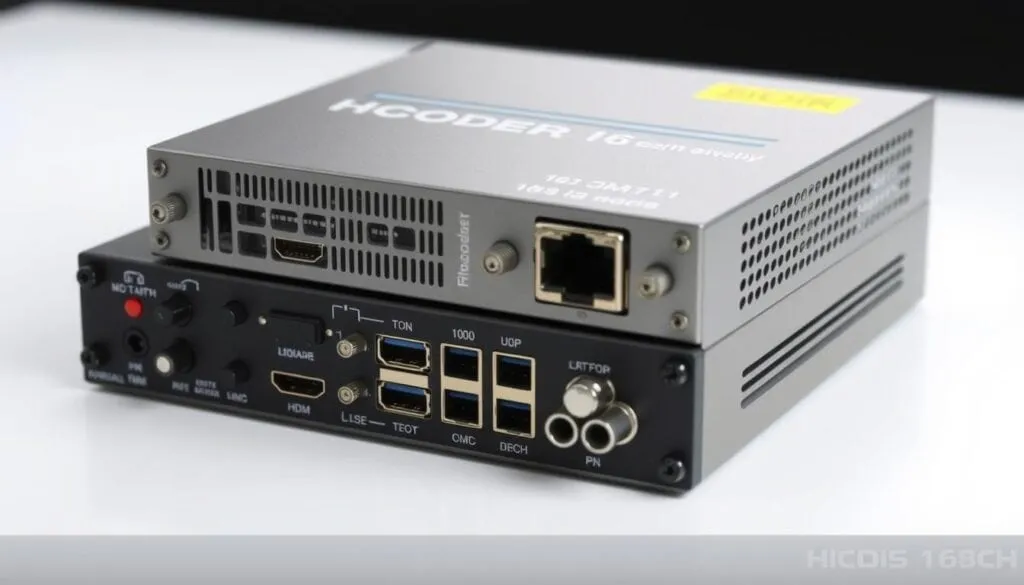
With its real-time Linux-based architecture, the HCoder 16CH HDMI encoder sets a new standard in video encoding technology. This advanced encoder is designed to deliver high-definition audio and video encoding with exceptional performance. Featuring 16 HDMI inputs and 16 IP outputs, it supports resolutions up to 1080p at 60 fps, making it ideal for various applications.
Technical Specifications and Capabilities
The HCoder 16CH HDMI encoder boasts an impressive array of technical specifications. It has 16 HDMI inputs for simultaneous multi-channel video management and dual RTMP streams per channel (main and secondary). The encoder supports extensive IP output protocols, including RTMP, RTSP, UDP, HTTP, HLS, FLV, and ONVIF. Additionally, it offers high-resolution output from 1920×1080 down to 176×144 and AAC audio encoding. The adjustable bit rates range from 0.1 to 32 Mbps, allowing for flexible streaming options.
Key Features:
- 16 HDMI inputs and 16 IP outputs
- Dual RTMP streams per channel
- Extensive IP output protocols
- High-resolution output
- AAC audio encoding
- Adjustable bit rates
Performance Analysis
The HCoder 16CH HDMI encoder delivers exceptional performance, supporting resolutions up to 1080p at 60 fps. Its dual RTMP streaming capability allows output to different media servers simultaneously, enhancing its versatility. The encoder’s extensive protocol support ensures compatibility with various streaming platforms. Moreover, the adjustable bit rate options enable users to balance video quality and bandwidth requirements.
The HCoder 16CH HDMI also features stream branding capabilities, allowing for the insertion of text and logos for both main and secondary streams. This feature is particularly useful for businesses and organizations seeking to maintain a professional brand image. Furthermore, the encoder operates with low power consumption of just 90 watts, making it an energy-efficient solution.
Setting Up Your HDMI IPTV ENCODER System
To get started with your HDMI IPTV encoder, you’ll need to set it up correctly. This involves understanding both the hardware requirements and the software configuration steps.
Hardware Requirements and Connections
When setting up your HDMI IPTV encoder, the first step is to ensure you have the right hardware. This includes a reliable network switch that supports Gigabit Ethernet to accommodate the encoder’s interface. Since STBs typically have 100base T connections, they need to be connected to this switch as they cannot communicate directly with the encoder due to the Ethernet speed difference.
To connect your encoder, start by linking it to the switch, then connect your PC to the same switch. This setup allows you to verify that the multicast streams are being sent out correctly using tools like VLC or TS reader. Ensure your switch has DHCP capability to assign IP addresses to your STBs from your network router’s DHCP server. Additionally, IGMP protocol needs to be enabled on the switch to manage multicast traffic efficiently.
Software Configuration Steps
After setting up the hardware, you’ll need to configure the software. Start by accessing the encoder’s web interface. Here, you can configure the video settings and ensure that the encoder is set to stream to the correct IP address and port.
Verify that the streams are being transmitted correctly by using monitoring tools. It’s also crucial to plan your network bandwidth to ensure it can handle the video streaming demands. Common setup mistakes include not enabling IGMP snooping on the switch or not configuring the encoder’s IP address correctly. Avoid these by following the manufacturer’s instructions closely.
Network Considerations for Optimal Streaming
When it comes to HDMI IPTV streaming, your network’s capabilities play a crucial role in determining the quality of your viewing experience. A robust and well-configured network is essential for delivering high-quality video streams without interruptions or buffering.
Bandwidth Requirements
The bandwidth required for HDMI IPTV streaming varies significantly based on the video quality. For instance, standard definition (SD) streams typically require around 2-5 Mbps, while high-definition (HD) streams can need between 5-15 Mbps. For full HD or 4K streams, the requirements can go up to 25 Mbps or more per stream. To calculate the total bandwidth needed, you must consider the number of simultaneous streams and their respective bit rates. For example, if you’re streaming 10 HD channels simultaneously, you would need a bandwidth of at least 50-150 Mbps.
IGMP Protocol and Multicast Streaming
The Internet Group Management Protocol (IGMP) is crucial for managing multicast video streams efficiently across your network. Unlike unicast streaming, where multiple copies of the same stream are sent to individual viewers, multicast streaming sends a single copy of the stream to multiple recipients, significantly reducing bandwidth usage. When a device wants to receive a multicast stream, it sends an IGMP message to join a specific multicast group. The router then forwards traffic for that group to the appropriate network segment, ensuring that bandwidth is preserved. For optimal performance, a smart switch with IGMP protocol enabled is required, which keeps streams in memory and passes individual streams only to ports where they were requested.
To ensure efficient multicast streaming, it’s also important to select network equipment that supports the necessary protocols for IPTV. Proper network configuration can significantly improve streaming performance and reliability, while issues like packet loss and jitter can be troubleshooted by optimizing your network settings.
Applications of HDMI IPTV ENCODER Systems
HDMI IPTV ENCODER systems have revolutionized the way you consume video content across various settings. These systems are being utilized in diverse industries, transforming the way content is distributed and consumed.
Educational and Corporate Settings
In educational institutions, HDMI IPTV ENCODER systems enable the distribution of lecture content across campuses, enhancing the learning experience. Corporations use these systems for training, company-wide announcements, and conference room solutions, improving communication and collaboration.
Hospitality Industry Solutions
The hospitality industry leverages IPTV systems for in-room entertainment and information channels, enhancing guest experiences. Hotels and cruise ships use these systems to provide high-quality video content to their guests.
Digital Signage and Public Displays
HDMI encoders are used in digital signage applications, delivering high-quality visual content in retail and public spaces. This solution allows businesses to engage their customers with dynamic, relevant content.
Residential Entertainment Systems
Residential users can create their own entertainment distribution systems throughout their homes using HDMI IPTV ENCODER technology. This enables a seamless entertainment experience across multiple rooms.
These diverse applications demonstrate the versatility and potential of HDMI IPTV ENCODER systems. As the technology becomes more accessible and feature-rich, we can expect to see even more innovative uses across various industries.
- University and corporate training programs
- Hotel and cruise ship TV systems
- Video conferencing solutions
- Digital signage in retail and public spaces
- Residential entertainment distribution systems
By adopting HDMI IPTV ENCODER systems, businesses and individuals can unlock new possibilities for content distribution and consumption.
Troubleshooting Common IPTV Streaming Issues
Troubleshooting IPTV streaming issues is crucial for maintaining a seamless viewing experience. When issues arise, it’s essential to identify the source of the problem to apply the correct fix.
Video Quality Problems
Video quality issues, such as pixelation, artifacts, and resolution problems, can significantly impact your viewing experience. These issues can be caused by a variety of factors, including insufficient bandwidth, incorrect encoder settings, or problems with the HDMI connection. To troubleshoot, check your encoder settings and ensure that your network bandwidth is sufficient for the stream. Using tools like VLC to analyze the stream can help identify the source of the problem.
Connection and Network Issues
Connection and network issues can interrupt or degrade streaming quality. To troubleshoot, verify that your IP STB has received its own IP address and check that the switch port traffic doesn’t exceed 100 Mbps. When IGMP is enabled, the switch should only send streams requested by the IP STB, so the data rate on the switch port should equal approximately one encoded stream (about 8 Mbps). Ensuring proper IGMP configuration is crucial for maintaining a stable stream.
Latency and Synchronization Challenges
Latency and synchronization challenges can affect real-time applications like video conferencing. To diagnose and resolve these issues, use diagnostic tools like TS reader to analyze stream performance. A systematic approach to isolating whether problems are occurring at the encoder, network, or receiver level is essential. By identifying the source of the issue, you can apply the necessary fixes to ensure synchronized streaming across multiple channels.
Comparing Different HDMI IPTV ENCODER Models
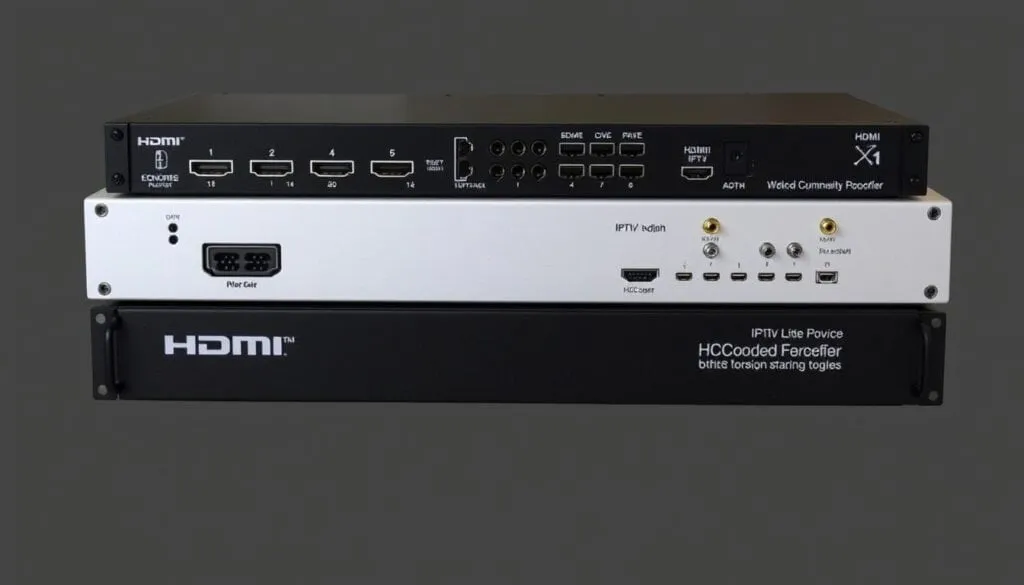
Choosing the right HDMI IPTV encoder is crucial for your streaming needs. With various models available, including 1-channel, 2-channel, 8-channel, and 16-channel options, it’s essential to compare their features and capabilities.
Single-Channel vs. Multi-Channel Encoders
Single-channel encoders are suitable for smaller operations or those with limited video sources. They are often more affordable and simpler to set up. On the other hand, multi-channel encoders like the HCoder™ 16CH HDMI offer greater flexibility and scalability, supporting up to 16 HDMI inputs and 16 IP outputs with resolutions up to 1080p at 60 fps.
When deciding between single-channel and multi-channel encoders, consider your current and future streaming needs. If you anticipate growth or need to stream multiple video sources simultaneously, a multi-channel encoder is likely the better choice.
Price-Performance Analysis
The price of HDMI IPTV encoders varies significantly based on the number of channels and features. While single-channel encoders are generally more budget-friendly, multi-channel encoders offer better value in the long run for larger operations.
When evaluating the price-performance ratio, consider not only the initial purchase price but also factors like power consumption and maintenance requirements. A more expensive encoder with advanced features may prove more cost-effective over time.
To determine the best encoder for your needs, assess your specific requirements, including the number of video sources, desired resolution, and scalability needs. By comparing different models and considering both their features and total cost of ownership, you can make an informed decision that meets your streaming goals.
Transitioning from Analog to Digital Systems
You can significantly improve your streaming setup by making the switch from analog to digital IPTV systems. This transition not only enhances video quality but also offers greater flexibility and scalability for your streaming needs.
Compatibility with Existing Infrastructure
One of the significant advantages of digital IPTV systems is their compatibility with existing infrastructure. Digital QAM signals, although technically analog modulated, can coexist with analog NTSC/PAL signals on the same coax using different frequencies. This compatibility allows for a smoother transition, as both analog and digital signals can be combined using a simple 2×1 combiner. For instance, you can extend digital signals to distant buildings (up to 200m away) using existing coax cables, and fiber optic RF extenders can be employed for further extensions if needed.
Migration Strategies and Best Practices
To ensure a seamless transition, it’s essential to adopt a phased migration strategy. Start by assessing your current infrastructure and identifying areas where digital IPTV systems can be integrated without disrupting ongoing operations. Gradually introduce HDMI IPTV solutions and encoders, ensuring that they are compatible with your existing setup. By doing so, you can minimize downtime and ensure a smooth transition to your new digital IPTV system.
By transitioning to digital IPTV systems, you’ll not only enhance your streaming capabilities but also benefit from improved video quality, increased flexibility, and a more scalable solution for your streaming needs.
Advanced Features and Customization Options
To enhance your streaming service, your HDMI IPTV encoder comes equipped with several advanced features and customization options. These features are designed to provide a more personalized and professional streaming experience.
Stream Branding and Text Overlay
The stream branding feature allows you to add your logo and text overlays to your video streams, making it easier to identify your brand. You can insert .BMP photos as logos for both main and secondary streams, enhancing your brand’s visibility. This feature is particularly useful for businesses looking to maintain a consistent brand image across their streaming services.
Closed Captioning Support
Your HDMI IPTV encoder supports closed captioning (CC) input, enabling you to encode CC data from CVBS baseband video input into your stream. For instance, if you have a DVD player with both HDMI and CVBS outputs, you can connect both to the encoder. The encoder will then encode HD video from the HDMI source and closed captioning from CVBS, ensuring your content is accessible to a wider audience.
Remote Management Capabilities
The remote management capabilities of your HDMI IPTV encoder allow you to manage and monitor the device from anywhere on your network. This feature is particularly useful for ensuring that your streaming service remains operational without the need for physical presence, saving time and resources.
Additional customization options include video encoding profiles to optimize for different viewing scenarios, scheduled streaming for automated content distribution, and advanced audio features such as stereo encoding and audio level adjustment. These features collectively enhance the flexibility and quality of your streaming service.
Future Trends in IPTV Streaming Technology
As you look to the future of IPTV streaming technology, several trends are poised to revolutionize the way you consume video content. The industry is on the brink of significant advancements, driven by emerging standards, improved encoding technologies, and increased integration with smart home systems.
Emerging Standards and Protocols
The future of IPTV streaming will be shaped by emerging video encoding standards such as H.265/HEVC and AV1, which promise better quality at lower bit rates. Newer IPTV encoder models are increasingly supporting 4K and even 8K resolutions, ensuring that viewers can enjoy high-definition content. The impact of 5G networks on IPTV streaming quality and accessibility is also expected to be significant, offering faster and more reliable connections. Additionally, artificial intelligence is likely to play a crucial role in enhancing video encoding efficiency and quality.
- Improved video encoding standards for better quality
- Increased support for 4K and 8K resolutions
- Enhanced streaming quality with 5G networks
Integration with Smart Home Systems
As IPTV technology advances, its integration with smart home systems is becoming more seamless. This integration will create a more cohesive viewing experience, allowing you to control your IPTV streaming through familiar smart home interfaces. Cloud-based encoding services are also emerging as a complement to traditional hardware encoders, offering greater flexibility and scalability. The trend towards hybrid solutions that combine local encoding with cloud-based distribution is expected to continue, providing a more robust and adaptable streaming infrastructure.
With these advancements, the future of IPTV streaming technology looks promising, offering enhanced viewing experiences and greater convenience for users like you.
Conclusion
HDMI IPTV encoders offer a robust solution for streaming high-quality video content across various settings. By implementing an HDMI IPTV encoder system, you can significantly enhance your streaming capabilities, ensuring a seamless viewing experience for your audience.
The key benefits of using an HDMI IPTV encoder include high-definition video quality, flexibility, and cost-effectiveness. When selecting an HDMI product, it’s crucial to consider your specific needs and applications to choose the right encoder. Proper setup and network configuration are also vital to achieving optimal streaming performance.
IPTV solutions are versatile and can be applied across educational, corporate, hospitality, and residential settings. By transitioning to digital IPTV systems, you can future-proof your infrastructure compared to legacy analog technologies. When selecting products, consider your long-term video distribution needs to ensure a future-proof investment.
To get started with HDMI IPTV encoding, assess your current infrastructure and identify the right product for your needs. With the right setup and configuration, you can enjoy high-quality video distribution over time. By leveraging HDMI IPTV encoding technology, you can enhance your streaming capabilities and provide a superior viewing experience.